Scan the QR code on your TV, pair your phone, and run your whole show from a browser. Built for hobbyists and extreme holiday decorators using compatible Android TV, Google TV, or smart projectors.
One-time purchase Use Pro on your compatible devices with the purchasing Google account.
Run the garage, porch, and front window from your phone.
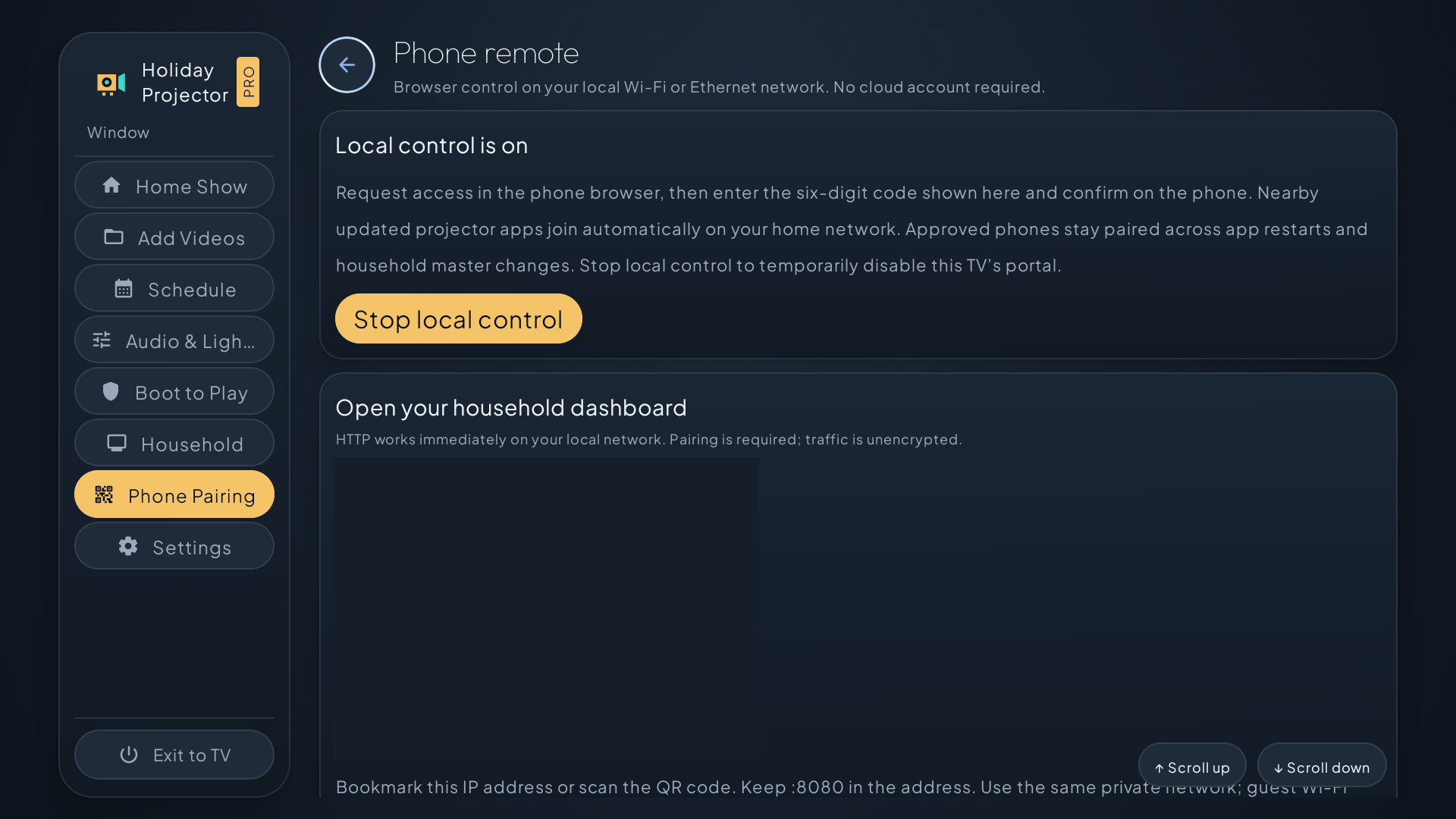
Open Phone Pairing on your TV, scan the QR code, and enter the code shown on screen. Now you can start the show, adjust a single projector, or pause the group from your browser.
Pair your browser from the TV.Pairing, group controls, and network requirements
Scan the QR code or open the address shown on your TV in a phone, tablet, or computer browser. Enter the TV code to pair and return while the saved authorization is valid.
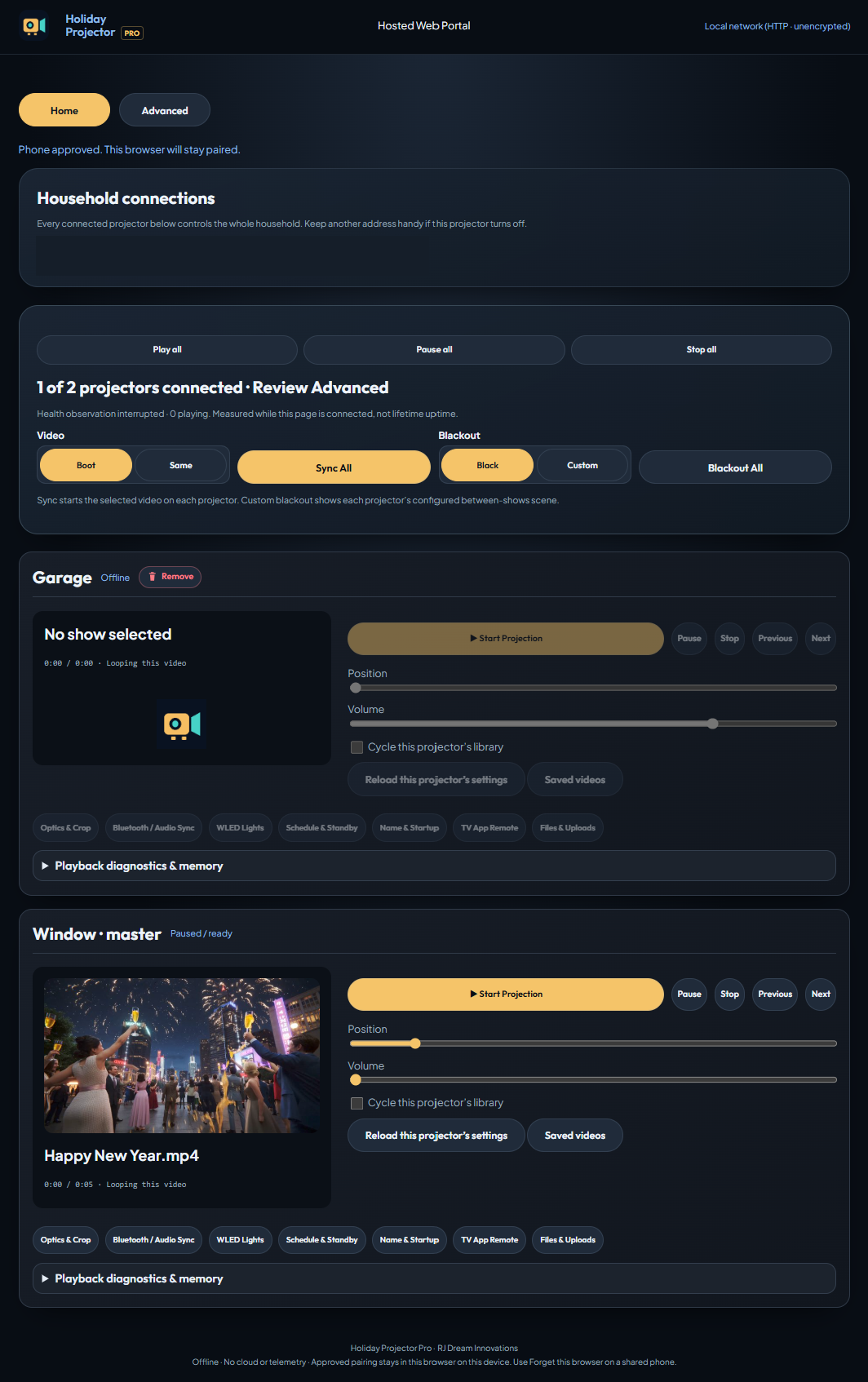
See discovered projectors together, with individual playback controls and supported group playback and blackout actions.
Adjust supported picture, audio, startup, and show settings. Use available library, source, and upload tools and remove retired devices.
Enable local control on projectors reachable on the same trusted private network. Dashboard traffic uses unencrypted HTTP. Group commands are best effort and do not synchronize video frame by frame.
See your projectors and their controls in one place.
See Pro in action
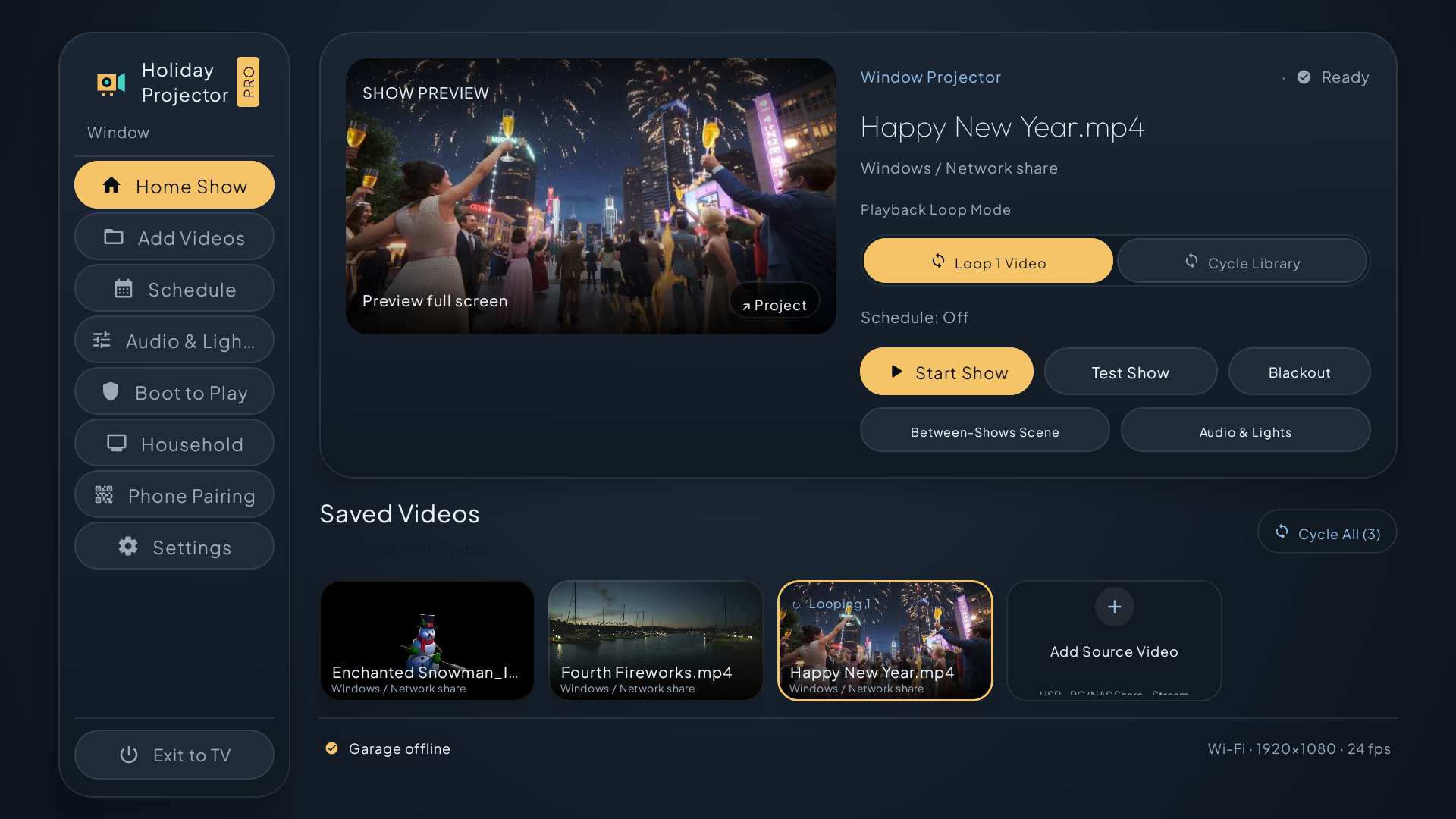
Home Show
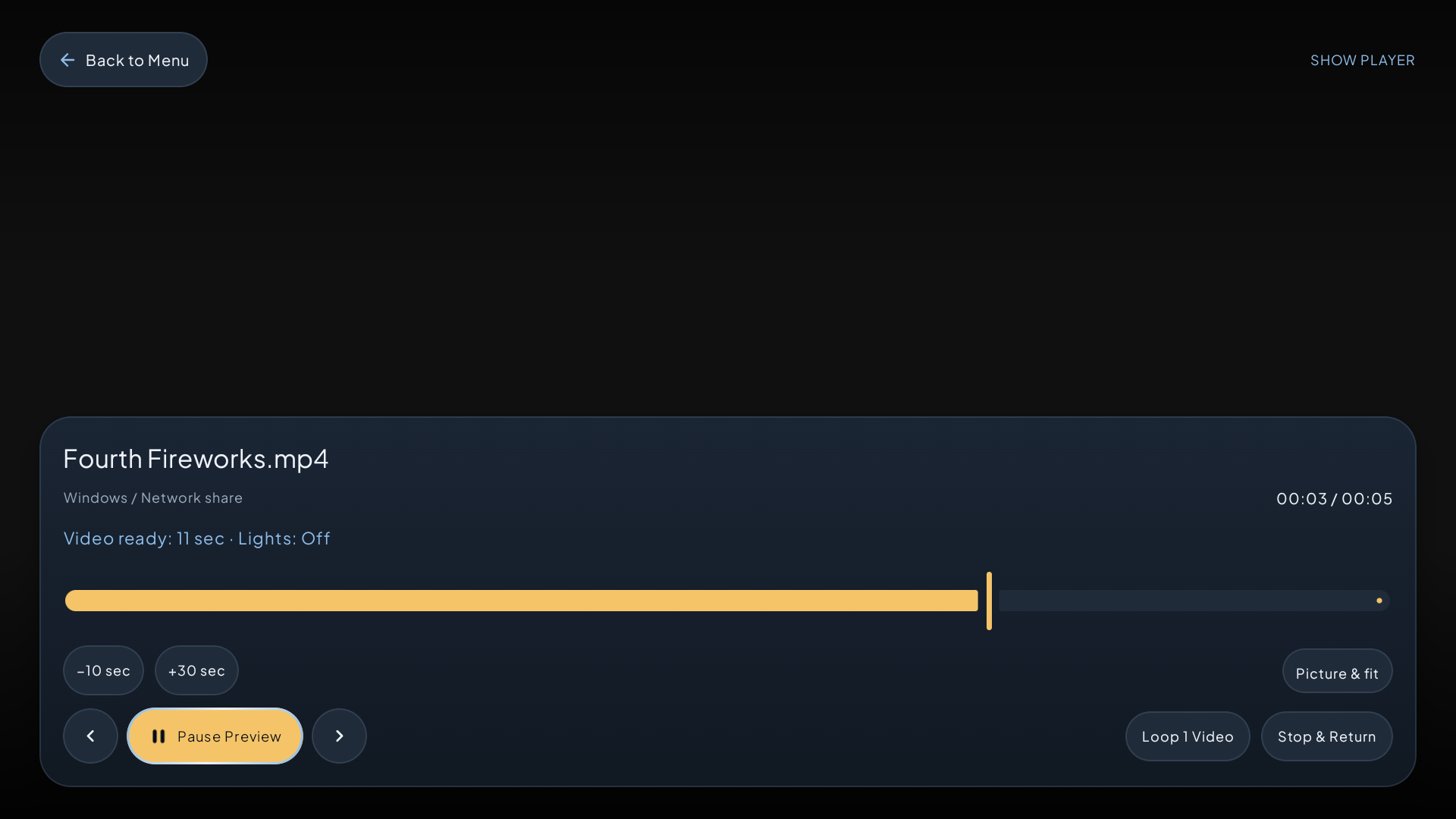
Preview a scene, choose how it loops, and start the show.
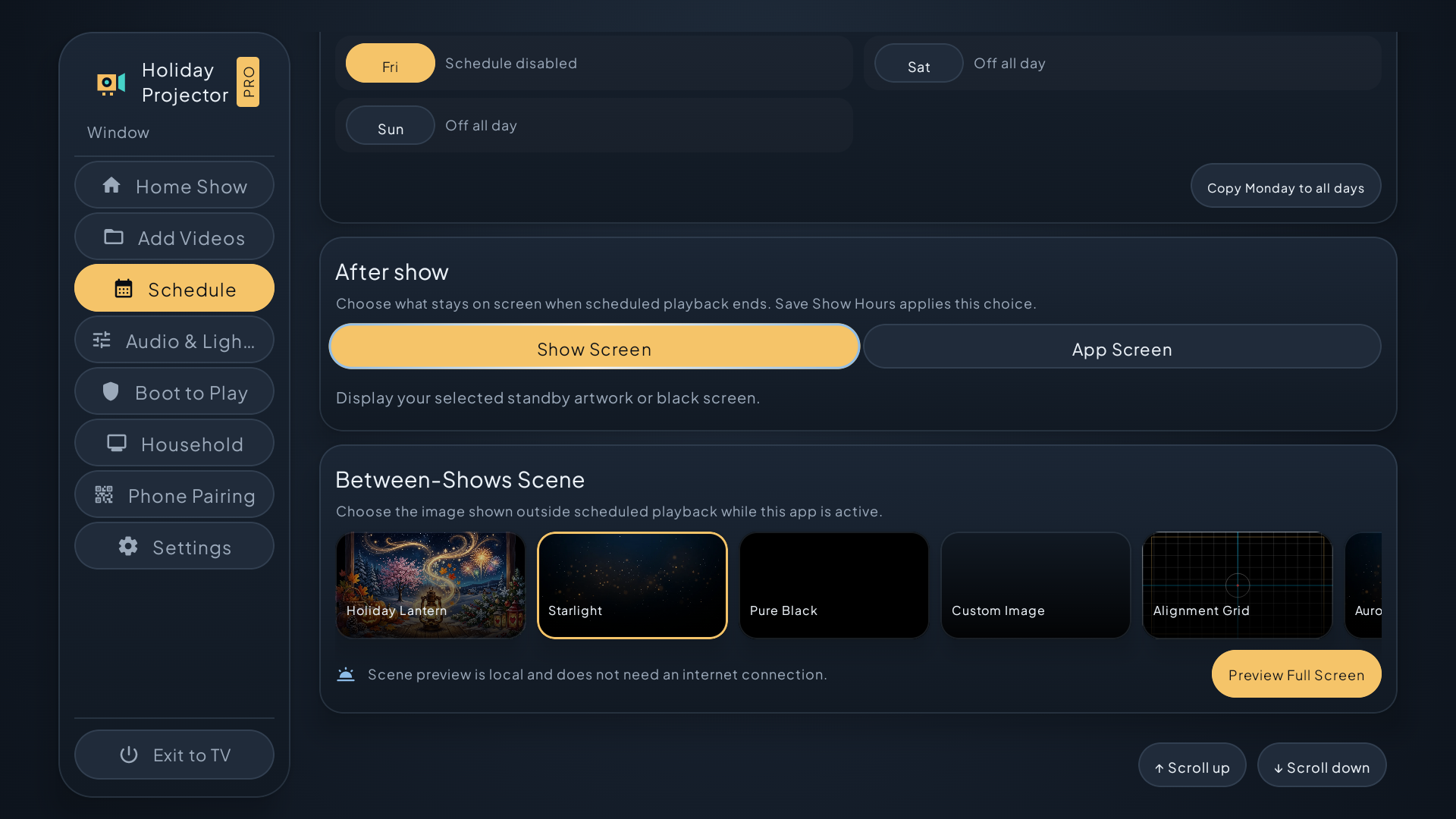
Show scheduling
Choose show hours and what appears between shows.
Audio & Lights
Explore speaker timing, projection alignment, and lighting controls.
From your video library to showtime
Start the show automatically
Spend less time with the remote every night.
Boot to Play opens your saved show after Android starts. Loop one video or cycle through your saved library.
Explore the controls
An adjustable countdown gives you time to cancel. Guided setup helps you check permissions and test a real restart.
Run the restart test to check automatic launch on your device.
On supported setups, the app can open in under 30 seconds after Android starts. Your configured countdown follows before playback. Startup behavior depends on device permissions and manufacturer restrictions.
Choose what plays, even between shows
Keep one signature scene running or change up the display throughout the evening.
Loop one video or cycle through your saved library.
Explore the controls
Start, pause, stop, seek, and move between videos.
Show the included Holiday Projector graphic, pure black, your own image, or an available built-in scene between shows.
Playback retries recoverable interruptions and shows details when a source needs attention.
Play from the sources you already use
Keep your collection on a USB drive, your device, or a shared library at home.
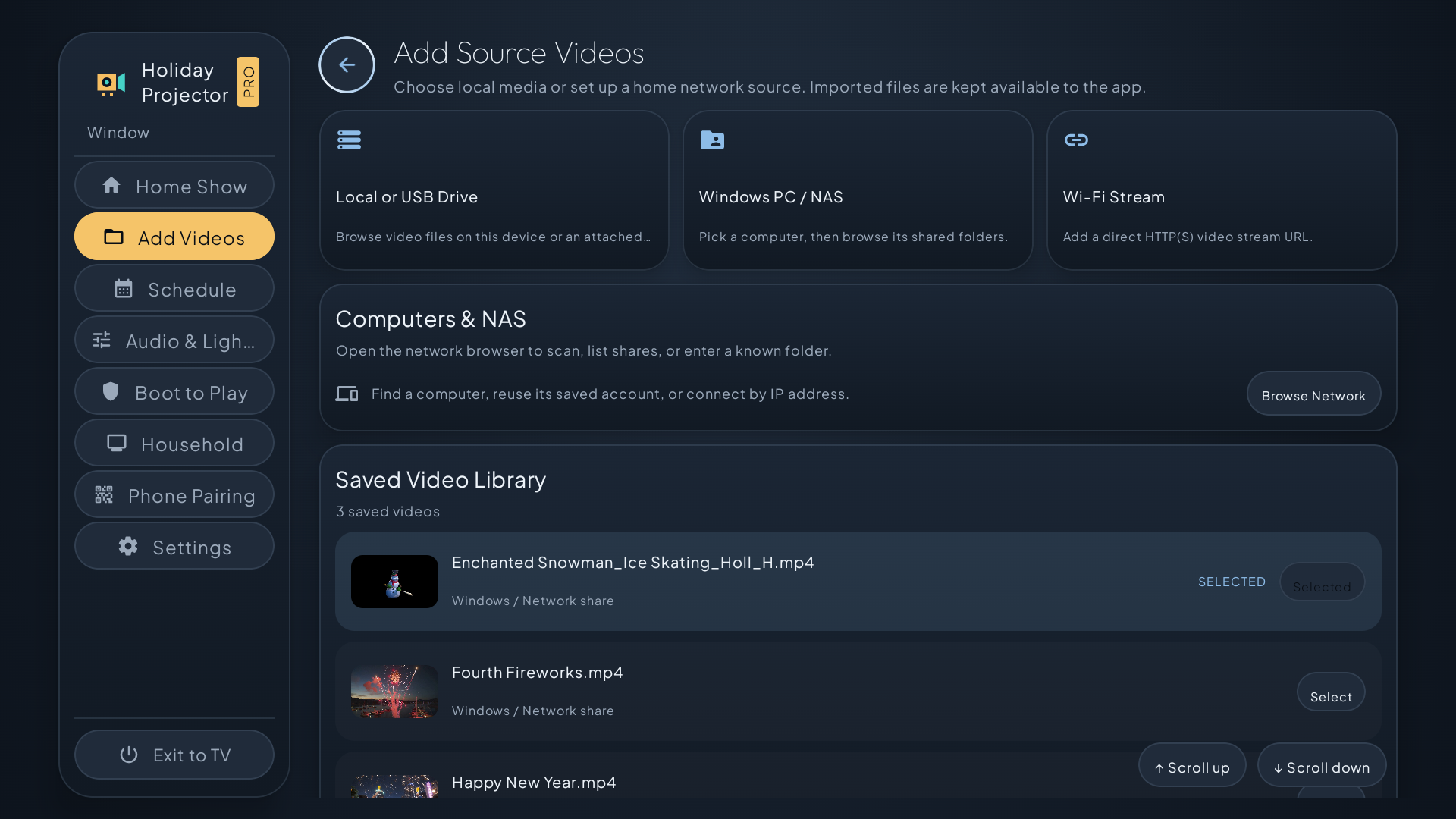
Browse local and compatible USB storage or add a direct HTTP or HTTPS video link.
Explore the controls
Discover Windows PCs and NAS devices, or enter connection details manually. Stream from supported SMB3 shares without copying videos to every projector.
Add several videos in one session and keep them in your saved library.
Fit the picture to your space
Adjust the video to suit a window, wall, screen, or prop.
Size, fit, crop, and black out parts of the picture. Mirror the image for rear projection.
Explore the controls
Use the calibration grid to align the image, or apply vignette and available visual treatments.
Open picture controls during setup and playback.
Digital adjustments complement your projector’s physical placement, focus, and hardware controls.
Bring sound and lights into the scene
Extend the atmosphere beyond the projected image.
Open Android Bluetooth settings to pair compatible speakers. Adjust volume and use supported timing calibration to line up picture and sound.
Explore the controls
Discover compatible WLED controllers on your local network and use available presets and show-linked actions.
Video-reactive WLED lighting samples on-screen colors for nearby LEDs. This feature is in beta.
Bluetooth capabilities vary by Android device. Bluetooth transmitting is experimental. WLED requires compatible hardware, firmware, and network settings.
Manage the show from your TV remote
Start a show from the couch, then use the browser dashboard when you want more room.
Use landscape TV menus with visible focus, compact controls, and expandable settings.
Explore the controls
Reach your saved videos and on-device Household controls quickly.
Check what each reachable projector is playing, its playback state, and its loop mode. Review available device details, playback and network errors, and diagnostic or memory reports when troubleshooting.
Set the hours once. Let the show run on schedule.
Choose a start and stop time for each day, then decide what stays on screen afterward.
✓ Use Pro on compatible devices with your purchasing Google account.
Some free plans cap the number of displays.
Connect your phone
✓ Scan the TV’s QR code and confirm with the on-screen pairing code.
Cloud signage can require an account and screen registration.
Start multiple displays together
✓ Send a group start command from one portal.
Some offer synchronized playlists or a paid video wall add-on.
Browser-based control
✓ Control projectors individually or as a group on your local network. No cloud account.
Some offer browser control through a hosted dashboard.
Other Apps summarizes examples from video and signage tools. Features vary by product and plan. Pro group commands coordinate playback on your local network. Timing can vary by device and source.
One purchase. Local control.
Every Pro feature is included with the upfront purchase. Household control runs on your local network without a cloud account. Saved network credentials use device-protected storage.
Use your own videos for Halloween windows, Christmas scenes, party backdrops, seasonal decorations, and ambient displays. Start with one projector and add more as your setup grows.
Video formats, resolution, HDR, surround sound, USB access, and automatic startup depend on your Android device, projector, and media source.
Holiday Projector PRO
Every Pro feature included in one purchase.
Coming soon. The listing will open once Google Play makes it public.